Pages

Sunday, May 12, 2013

How to Know the Diffences between Laptop, Notebook, Netbook, Ultrabook, and Palmtop

In the past, the only option to opt for the use of personal computing devices is a desktop computer that has a large size and bulky. But with the development of computers become smaller and practical. In most of the differences in terms of laptop, notebook, netbook and ultrabook, and palmtop probably not great. But make no mistake, you know there are many of our friends who are still confused about what it's like Laptop, Notebook, and Netbook, Ultrabook, palmtop.
https://blogger.googleusercontent.com/img/b/R29vZ2xl/AVvXsEgCm-cc-ZfUqYR-5U53-YGUjzuf4jDDbk7_YP_fqOOAiHyX_6OGAQFFZvzNytVqoNLY2awFT14MVz10aCciXRtDjwVzhn8vaUksKhPfN9mgFliiROdu2fM7QKWYamH45i7zhu_CK4txukOM/s1600/Laptop-Notebook-Netbook.jpg

Of course they vary much for the use of computing and is very important to know the differences between them. Therefore let ye no longer confused, in this article I will explain a bit about the differences. 

Laptops and Notebooks 
The laptop itself is called General for Notebook and Netbook.  
https://blogger.googleusercontent.com/img/b/R29vZ2xl/AVvXsEiqRlhSvOqDfvDP82MNVdZGS9sZZ5yha_bFu5SMRpgJZ7Wrq6yQX9x5kMbzuiNsuzqtnhO1JRHZCuqs8tyN9_jevfTyno0jBFTcIfa9_T98F4i71fd-oU8NNJBF516Z7zjlXmZY7n7ZOJjL/s1600/Laptop+Acer+Terbaru+2013.jpgSo it could be interpreted as Laptop Netbook or Notebook. Originally he remains the same that is used to refer to a computer in her lap. Historically, the laptop has a slightly larger size, designed to replace the desktop computers and can be carried on your lap. While the notebook only has a size slightly smaller than a laptop - something that you can take wherever you go and identical or replace the role of the traditional notebook. But today there is no difference between them. Manufacturers will use the words interchangeably Notebook and Laptop, and it's very rare to see Laptop in today's terms. 
Compared with Laptop, Notebook slightly more eye catching, as personal computers, laptops have the same functionality as the desktop computer (desktop computers) in general. Components contained in it are exactly the components on the desktop, it's just smaller and more numerous, become lighter, less heat, and more power efficient.


Netbook
https://blogger.googleusercontent.com/img/b/R29vZ2xl/AVvXsEiD3F_IWslS4M-K2NPhLfbHXhTWKpU60ZnH9h3VZMx4xRHJ8PVFDf6FLHkgRFuIyBehL3Oq_f27BMIDCG-L86mBnyFMvkxvHvyuK8v3XL8TPICARaAp8Aqchxpo7AJLGJNcjLQpamromzlQ/s1600/netbook.jpg
Netbook is one variant of a portable computer that is designed to meet the needs of wireless communication and Internet access. With the main design for use as a tool in exploring the web, and has been mailed, netbooks rely heavily on the existence of the Internet for remote access to web-based applications to users who do not require the existence of high specification computers.
Their fame has declined in recent years due to shifting to tablets, Netbook is perfect for everyday computing tasks, but gaming or other heavy programs like Photoshop does not allow you to install on netbooks.
Ultrabook
https://blogger.googleusercontent.com/img/b/R29vZ2xl/AVvXsEiAqBvHevU0eD0UpLHc2rx0TfGcYfdOPyZ78sQi7XqnA-FFrLJNVQYH8RzSKT6Dc3h4AT_TOqxHvW16dv5X0q6DJIB33rOl65NmN2esfwiZ9JApLkdPLrw20xHzgPp7oBRKAeQRNEOHuVRz/s1600/ultrabook+tipis.jpg
Ultrabook is a blend of sophistication of a PC game with a Tablet PC that has less than 20 mm thin with a very high specification, this ultrabook can be used in extreme conditions like desktop. Use of Ultrabook PC was first used to represent the Apple MacBook Air which is known to have a body very thin and that's where the first Ultrabook sounded. So to say that the MacBook Air is the first Ultrabook that comes on the market. Despite having a slim profile that is less than 2 cm, but the screen size was carrying often rivaling the size of a normal notebook. Large Sebaian Ultrabook equipped with SSD Hard Drive - This type faster, lighter and silent compared to HDD. Having a faster speed, SSD are more expensive for the price category compared with 128 GB HDD size alone though, so it will not be unusual if the Ultrabook has a shelf life of only 128 GB. Ultrabook also usually not equipped with DVD Drive, so always remember this before you go shopping for a laptop.

It is suitable for everyday computing tasks and you can use to play the game lightly. This type of play will be very berjuan permaian have 3D graphics or games that have a higher level again. Ultrabook has a very A varied prices, ranging from 7 million to 15 million.


Palmtop
http://jalantikus.com/blog/wp-content/uploads/2012/10/palmtop.jpg

A palmtop computer is a very small computer that you can hold in one hand and manipulate with the lain.Ini kind of computer has a special keyboard or keypad to enter data, or other kecil.Nama QWERTY keyboard for palmtop is the handheld computers, pocket computers and PDAs . primary feature of this computer is that they are small, lightweight, draws power from the battery and is intended for the use of their umum.masukan including typewriter keyboard and the output consists of a display, a small full-color LCD. Palmtop has a word processor, spreadsheet, calendar and phone book. An important characteristic is that the operating system is compatible with the PC.Palmtops is a small device that is able to give your computing experience. Palmtops kebanyak `n using the lower version of Windows called Windows CE, but some time later appear palmtops models that use Windows XP. With the advent of smartphones, palmtops computers made limited and you will not be able to get it at the present time. This device has a screen size of 6-7 inches. The screen is quite large at the time.

That's I can give, may be useful.....
 (^_^ )

How to Clean your LCD Monitor (including PC, Laptop, Notebook, and Netbook)

http://blog.fastncheap.com/wp-content/uploads/2012/03/cara-membersihkan-lcd-monitor-300x211.jpgIf you just bought a laptop / notebook or PC with LCD monitor, maybe you're a little worried about the LCD screen is prone to dust. If you want to find a tutorial on how to clean the LCD screen without damaging the screen or you what to do and what should not be done on the LCD screen, as I will explain a little about what you should do with the LCD screen you. 

First of all you should know, you can use materials from household to clean or can also buy commercial kit to complete the task. Whatever method you choose, you should know the following things:

1. LCD screen with the cleaning materials that contain alcohol, ammonia or other solvents are not recommended by the manufacturer.

You must understand that the LCD is not glass, so that should you use to clean is with a dry soft cloth.

2. When you want to clean with a liquid, try using distilled water or a 50/50 mixture of white vinegar and distilled water.

Never try to use tap water / taps, water wells, etc., because the water contains minerals that can damage the LCD screen or can meninggalakan ex / permanent disability on the screen.
3. Do not try to spray water directly on the LCD screen.

http://alfaupgrade.files.wordpress.com/2012/12/a3.jpg?w=593This can cause permanent damage to the LCD screen. Should apply first in fabrics, new wipe / cleared.

4. It is recommended to use a microfiber cloth. You can try like pure cotton T-shirt, lint-free microfiber cloth, disposable cloth (available at pharmacies) or other similar soft cloth.

Lens tissue that you use to clean the camera. You can also be used to clean LCD screen or lens cloth to clean the glasses can also be.


5. If you already have an option available to clean, straight to the next step. First turn off the power source prior to LCD PC or notebook.

To create a more secure, unplug the power adapter and remove the battery, laptop / notebook. Now try to pour the liquid on the cloth. Do not make the cloth wet, just moist.
6. Use a little pressure when you clean the LCD screen.

Use fabric with a consistent circular motion on the screen. Only gentle pressure, pressing hard can damage the LCD screen.
7. After finishing the cleaning job you earlier LCD, LCD screen make sure you dry before closing it or turn it on.

To make it dry, you can use a dry lint-free cloth I've suggested in point no. 4 above.

If you follow the above tips properly when cleaning Notebook LCD monitors, LCD PCs, TVs, Plasma TVs, LCD screens and all, then there will be no permanent damage to the LCD pixels. 
Hopefully useful...
^_^

Several Things to Consider when Buying a Computer

https://blogger.googleusercontent.com/img/b/R29vZ2xl/AVvXsEhuTNRvnxgWv5Fsj-La3HttjDprIrIaJW3-M6AS9xCAcIZ71W1Uq4E3cAm8-ryTApgPpPHGinmM7FBzyUn-6Ah4GDwEzYzPJ5n91Whun_A8kjvgYJvUkOuITrRNSitAA184xzLEelBRfAFg/s1600/cara-memilih-komputer-terbaik.jpgThere are several things to consider when buying a computer.Almost everyone has a personal computer (PC) but not everyone has that are appropriate for their needs. Given the large investments PC, buying the wrong one can be useless or objects that are too large paperweight. 

Here, we will discuss the things that must be considered when buying a computer, the information you need to make the right purchase and common mistakes made by first-time buyers.

1. Price vs. Performance
 

Each computer is equipped with the function and performance of the different also, this is reflected in the price difference between a computer novice level and high level. Understand and know your needs so they can get the right computer and avoid paying too much for the components you need. We can help you with finding the right PC for you. At the same time, a computer with high promotional discounts may not be powerful enough for your needs. Such a computer system often includes long with low or obsolete components so that by paying a bit more you can get a PC that is dramatically better. Do a price comparison, look at the individual components and consider the need to get the right balance between price and performance.

 
2. Peripheral & Software  

Many computers are often bundled with standard software and bundled with certain peripherals. This includes the operating system, antivirus software, mouse and keyboard. Check with the store before buying any peripherals that came with the computer. Make sure you get all you need with an appropriate budget for the add-on such as a printer or extra cables as desired. Most computers are not completed with office applications and you should be aware of it.
 

3. System Components  
  
Make sure each of your components work well together. Have the latest and fastest processors without enough RAM will make your program run slower than it should. Check that there are components in the balanced performance. For a number of form factors, it may be difficult to upgrade components. Always try to research and make sure to buy what you need now but also has the ability to be upgraded in the future. Learn about the different components. 


4. Ready For The Future  

Ready for the future purchase or assembly refers to the computer that is capable of running high-end applications in the future. This usually comes with a very high price. In the long run, it would be better if you buy a computer with the price-versus-value best performance for your money and the remaining tube. You'll save in the long run to continue to upgrade every 6 months or replace your computer as technology.

How to Choose a Good Laptop

For those of you who want to switch to a laptop PC, it is good to read the first tips on choosing a good laptop as desired so as not to be disappointed in the future. Here are some tips :

1. Brand

Sometimes a brand worth considering when buying a laptop, because it is usually well-known brand will definitely keep the quality of its products. There is therefore a good idea to choose a laptop made ​​by famous brands, but you also need to be wary because many products will usually tiriuan / assemblies which given the brand was popular.


2. Specifications and Features

The most important in buying a lapot is spisifikasi and features offered, because the more we need in a laptop of course the features of the laptop should be sufficient.


3. Price

Once you know the features that you want your laptop should also menyocokan the price, because it is usually for a laptop with high specs are quite expensive. This is where you should be careful, because you should choose a laptop with specs that suits your needs and pockets of course.


4. Battery Life

Identical laptop can be used anywhere people are more selected than the computers, and for that you also have regard to the capacity of the laptop battery you buy. Surely you do not want your laptop not only be used briefly when outdoors, especially you also forgot to bring the charger laptop will definitely make you more upset.


5. Size and Weight

If you will always carry your laptop is traveling a good idea to choose a laptop that size being the weights are not too heavy, if you have enough money it helps you select the ultrabook is a thin and light laptop.


6. Guarantee

Warranty on a laptop is also very important, the laptop sometimes used continuously certainly long - eventually there will be damage. This is where our advantage if we have a laptop long warranty, so we can improve our laptops for free.


Those are some factors you can consider when you want to choose a laptop. Hopefully useful ....
^ _ ^

How to Choose the Best PC or Desktop

Whether you are confused in choosing which machine is best for you? Here, I will try to help provide input in selecting which machine is best for your use. Actually, in determining the best computer is not a difficult thing. Most important is the purpose and needs of just about anything you need from the computer you are looking for. Whether used for work everyday, play games, or just for the open internet. By knowing your purpose in using a computer, then you will easily determine which machine is best to use. That way you will not be sorry for computers that you have purchased and you pay according to the specifications of the computer you need.

There are a few tips before you select a computer :

1. Determine the OS (Operating System) what you want to use.

Should adjust to your skill and ability. Computer operating systems there are several kinds, such as Microsoft Windows or Macintosh. Windows platform you can get the cheaper price, but has a pretty good speed. Do you want to use. For brands, some well-known brands such as: Toshiba, IBM, Apple, Gateway, Hewlett-Packard, Dell. Beyond that, you can also assemble their own computers as you want.


2. Think about whether your computer is used for work in the office or used as a server supporting the central office as well as on education.

This function is actually not so important, but decent enough to be taken into consideration.


3. Look for references to friends and co-workers about what computer they have, where they buy, whether common issues on computers that they buy, and also ask if they are happy with their choice.


4. Do not choose a computer only by the cheap price, but you will get problems later on.

Better you buy at a reasonable price, but you can use in the long term.


5. In selecting the memory (RAM), you should choose strong as you can afford to support the program you want to install software on the computer.

Earlier times the amount of RAM ranging from 128 MB, 256 MB, 512 MB. But now RAM 4 GB to 16 GB already you can get with a fairly cheap price.


6. Look BUS which has 2 USB or FireWire connection or also called IEEE 1394 connections, the bigger the better. This will connect the supporting devices such as PDAs, digital cameras, printers, scanners, camcorders, as well as function in the game. 


7. Look for a computer that already has a CD / DVD RW, but can be used as a CD / DVD, CD / DVD RW can also be used to create music CDs and to store your data. 

You also can watch movies with CD / DVD player is. 


8. Ask the seller about the ability to upgrade your computer if you want to use in the long term.
 
That way you can upgrade your computer with the appropriate software and game development in the next few years. 


9. Choose the type of computer hardware from major companies so you will get full confidence in the service and warranty if there's ever a problem with your computer. 


10. Use the VGA Card (graphics card) and Sound Card (sound card) are of high quality.

There are some software or games that require the use of high specification graphics cards. Currently the average games and software requiring high hardware specs to run it. 


11. In choosing a hard drive (storage file), you should choose a large enough capacity for all your files such as video, music, software and other multimedia files that you can store freely.

Hard drive capacity now has reached the size of terabytes. 


12. If necessary add capture TV card so that your computer has a function as a DVR.


That's a few tips and how to choose the best desktop computer. Hopefully this article useful for you...
^_^

How to Maintain your Laptop properly

Laptops now include a luxury item. In general, many students or students who have and use a laptop, not even rare anymore the office, such as civil servants, teachers, etc., have been using the laptop, it indicates the world is growing, very different from the laptop computer / PC, from the physical aspect is much different, but in this case with a laptop computer only has a difference of the physical aspects that struck me when viewed from the physical, but of course, if investigated further still many differences.
Considered very unfortunate if your favorite laptop is damaged, and must be justified by the small cost that will make your finances wasteful. However, in order to avoid these problems, here I give you some simple tips to keep your laptop still maintained and preserved for use :

1. Be careful about downloading software of the Internet 

Usually, if there are strong connections alias speeding, his work definitely download only. Try not to download software that is not clear the origin of his family tree, (no descendants software bro ...) because it can harm us. Use a software package that has been obtained from the first time laptop purchase. If you should scan the downloaded software used by most top antivirus.


2. Do not install software that if it is rarely used and pointless   

Why buy items when not in use. has not it? As with any software already installed, when not in use and no use then it will just be trash. 

3. Avoid electromagnetic vibration  

Keep your laptop from electromagnetic equipment such as loudspeakers, loudspeaker, machines, mobile phones, and other sources of vibration.

4. Tidy up the cables are connected 

As much as possible the cables to the laptop it should be neatly trimmed, not to make other people stumble and fall and get hurt and then blame you. Affairs can be troublesome again.

5. Take care of your laptop batteries regularly 

Should now use laptop for a long time, the battery is fully charged prior to the record currently being charged are not played. Then if it is full then unplug chargerannya play until the battery rest a little longer. Keep air circulation as well, because this is very important if there is no air circulation smoothly, it can lead to over-heating.

6. Do not have to try to move the laptop when it is lit. 

Laptops are still alive or not in shutdown / sleep also means the hard drive is working so that when driven hard scratch can cause the cylinder head, the result is fatal.

7. If the laptop is in trouble, do not try to try to fix that yourself. 

Better left to a handyman service nearby. Because if you can fix itself-could become more severe damage. Especially if warranty still then you disassemble the laptop itself and damage the warranty sticker is still there on the laptop.


Well maybe that's all the tips I can give to you. May be useful....
(^_^)

How to Take Care your PC or Desktop

Today, computers are commonly owned goods at home. This device can be used to do various things, ranging from office work to a means of entertainment. Watching movies, playing music to playing games can be done by using only one device at a time, so of course computers are used every day. Them know that the longer you turned on, the ability of a computer are increasingly declining ?

In general, actively used computers for more than 12 hours each day. In fact, there is hardly one to use it for days without turn it off, it is usually used for downloading files from the Internet. This is one trigger damage to your computer.

Computer malfunction must be repaired and it is certainly costly. Even if the damage suffered was fatal, you should replace it by a new one. For that, it helps you take care of your computer that are not easily damaged.

1. Computer Hygiene

http://www.computercleaningusa.com/images/dirty_computer_Orlando.jpgThe first thing that should be noted in the simple tips on caring for your computer is to clean it periodically. Clean all parts, such as casings, monitors, keyboards, mouse, motherboard, power supply, and others. For the outside, use a special liquid that is reliable. Consult an expert who had, while inside, use a brush to sweep dust - the dust.
 Keep your computer, avoid eating food when you're using a computer or smoking. Crumbs - crumbs of food or cigarette ash can be attached to the computer components so that makes it more easily damaged.

2. Remove the deice that is not used anymore

Usually this is often forgotten because you are in a hurry or even some who are lazy because they feel these items will often be used so why bother removed. But for those of you who want a simple computer care tips, you should always remove the CD / DVD from the CD / DVD drive so that your computer does not always check the contents of the CD / DVD so that the CD / DVD drive will last you a long lasting or permanent. Also do the same thing with flash or hard drive.
 3. Keep away from animals such as lizard, cockroaches or ants
Animals - these animals are very dangerous if it gets into your CPU. So also with you who has a laptop, do not let the ants get into the keyboard area because the ants can get into the engine and damage the device in your computer. It could be that the CPU is entered by lizards or cockroaches cause burning of your power supply.


4. Keep the temperature of the computer


http://blog.fastncheap.com/wp-content/uploads/2012/03/024849xcj2.jpgConcern for you who frequently use computers for a long time. Make sure your computer's CPU temperature is always in a state of cold, especially the processor. It is advisable to add a cooling fan or it could be the cooling fan and blower to maintain a stable temperature of your processor.

You can use SpeedFan software to help you keep the temperature of the computer.
 
If necessary you can also install a program or software that can help to cool the processor. As for the monitor, do by adjusting the settings on the screen saver and power saving.


5. Adequate ventilation.

http://images.tigerdirect.com/skuimages/large/ULT40141-main.jpg 
Place the monitor and CPU pentilasi such that air from and to monitor / CPU quite smoothly. Poor ventilation will cause excessive heat so that the components of a computer or other electronic circuit will be fast so that the heat can shorten the life of the component. Therefore, make sure the distance between the monitor / CPU with wall / wall of at least 30 cm. If the need for a fan in the room. Aka better yet would be to use air conditioning.


6. Do not place the speakers close to the active monitor because the magnetic field monitor speakers that affect the color of the monitor to be striped.


http://image.made-in-china.com/2f0j00JEtaoKYdaTmQ/Computer-Speaker-SPE-128.jpg
 
7. Uninstall programs that are not useful.

Too much hard drive space is left will slow down the process of Read / Write. Hard drive so that the workload will be heavier, so the hard drive will be more easily damaged. Usually it will usually appear Warning: your hard disk space is full. Windows operating systems already support this kind of clean. Programs that are rarely used should also be uninstalled.


Perform simple maintenance on the computer that you are more durable and protected from damage caused by negligence.

How to Take Care your Laptop Battery

Laptops have now become the primary choice to help a person's daily activities.
http://pusatlaptopbekas.com/wp-content/uploads/2012/10/merawat-baterai-laptop.jpg
But not all owners or laptop user knows how to take care of laptop batteries and laptop batteries or treated properly. Take Care of Laptop Battery is one thing that must be done for the owner. Would still not everyone knows how to take care of their laptop batteries. 

We can imagine how we feel when the work piles and urgent and can only be done through our laptop then suddenly turns itself off, of course very annoying is not it? I honestly themselves often experience the same thing, and therefore through this simple post I will share tips, how to care for laptop batteries to remain durable and long lasting.

Here are some ways to take care of to stay durable laptop battery :

1. Do not use the battery or charger is not compatible.

If you are not sure that the battery or charge that you are using it is compatible, please contact the relevant service from the laptop manufacturer.

2. When using a laptop, do not put on a soft surface or soft, like a carpet, bed or sofa.

Because the surface as it will mengghambat aliiran udarah at the bottom of the laptop and may cause overheating.

3. Do not let the battery or laptop pressures resulting from falls, hit, or pushed by a heavy object that has accumulated on it.

This will result in the battery circuit resulting in a short circuit (shorting) which then lead to overheating.

4. Do not place the laptop in a place that can get very hot, such as in the hot sun or in a car parked long enough during the day.

5. Avoid the laptop or battery wet or exposed to water.

Although it will be dry and still function as usual, circuits in laptop batteries will slowly rust.

6. Not recommended for continuous charging when the battery is fully charged.

Please unplug your laptop charger when the battery is full.

7. Do not let the empty battery, laptop batteries are used to empty it will be broken.

8. Do not charge the battery when the laptop is in use, it would not hurt if you turn off your laptop.

9. How to care for laptop batteries last one is better off only if the laptop battery you will be using the laptop for a long time.


Well it's a Laptop Battery How to Take Care of properly, so how to take care of laptop battery to remain durable and long lasting, hopefully by following how to care for laptop batteries in the battery your laptop will remain durable and long lasting, so all the work will be slesai right on his time.

How to Clean your Laptop

Sometimes someone judge us from what we usually carry, including laptops. If the state of our laptop dirty and unkempt, then most people will assume that we can not take care of themselves as well as vice versa. If you are a laptop user who still feel confused how to clean a laptop that is true, please see the description below. 


How to clean a laptop is actually relatively easy, but you have to pay attention to the steps that you do so when you clean the laptop does not cause scratches. Surely you do not want too right, you scratched laptop? 

1. The first step is turn off on your laptop.

After completely dead, unplug all cables connected to your laptop. In the process of cleaning, you should follow the manufacturer's recommendations on how to clean a laptop that's right. 
 
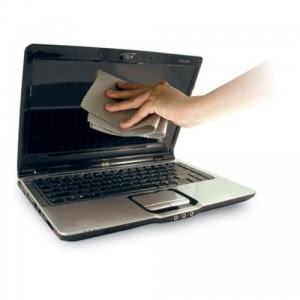
2. Take a clean and soft cloth, wet with distilled water to clean your laptop screen.

 https://blogger.googleusercontent.com/img/b/R29vZ2xl/AVvXsEhNBaMDyAJIrK5Nbborz_4YVvv33iSSFjuUJ1Nj603_xca-HFSG6oqxRQhoTpLqESJWz7X_T4NrlK1M45PqY9nMtxrpFyG6O93NFWFRffosS5dhtwUhad1BHHg9gml7rolGgchpp5SjabAu/s1600/cara-merawat-notebook.jpg
Do not get used to using alcohol or other substances that contain ammonia. 

3. Never spray directly onto your laptop.

http://dl.maximumpc.com/galleries/laptopcleanstart/cleanstart_laptop.png
Use a fluffy cloth, do not use facial tissue or cloth that rough as it can make your laptop scratched, especially on the LCD you have to be careful in doing the laptop as a way to clean this part soft and easily scratched. Use your normal cloth to clean the glasses.


4. If the laptop manufacturer recommends, clean the dust particles with a brush or vacuum.

http://blog.laptopmag.com/wpress/wp-content/uploads/2010/03/spring_cleaning_tips_sh.jpg
But it is usually not recommended for vacuum because it can damage the electronic components inside your laptop. 

5. If there are keys on your keyboard is stuck, clean it with a cotton dipped in cleaning fluid.  

http://static.ontoplist.com/photos/articles/23612.jpg
However, before making sure that the keyboard keys you can actually be removed and cleaned by looking at manual book on your laptop. 


6. Last tips on how to clean laptop before you turn on the laptop is sure that all the cleaning fluid is completely dry. 


Well, that's a few tips on how to clean the laptop that's right. Hopefully useful and can help you....
^_^